Contact & Payroll Information
The Contact & Payroll Information tab allows users to view/update the contact details associated with their account and configure their payroll system information
- The user must click the ‘Save’ button to save any edits
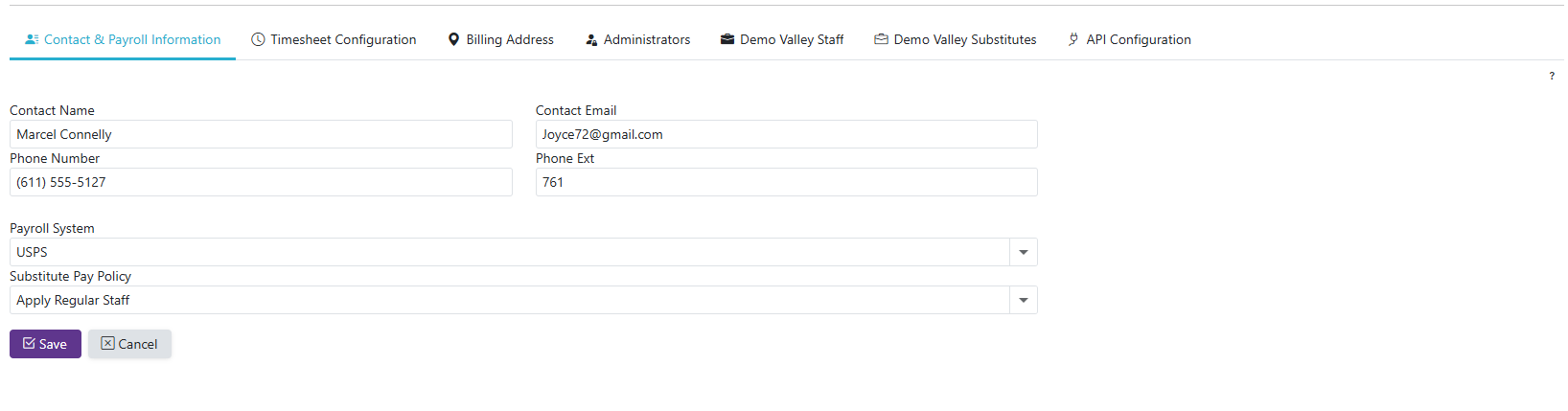
Substitute Pay Policy - 'Not Applicable' or 'Apply Regular Staff'.
-
Apply Regular Staff: Will set the 'Substituting for Id' to the corresponding staff's Employee Id on the entries that go into the Manage Timesheets page, where the payroll export is located
-
Not Applicable - will use expenditure code
USPS Pay Type Override (USPS clients only) - the pay type written to column Q of every exported record.
-
Leave it blank for the standard behavior: entries with no expenditure account export as
REG, and entries with an expenditure account export asMIS -
Enter a value - normally
MIS- to use that pay type on every exported record, whether or not the entry has an expenditure account. Use this when your district wants substitute pay treated as miscellaneous pay even on records that fall back to the substitute's default payroll accounts in USPS -
The value is limited to three characters and is saved in upper case.
REGandMISare the values SmartSub recognizes; anything else is still exported, but the field warns you that it isn't a value SmartSub knows -
Entries that carry a Substituting for Id always ignore the override and use the standard behavior, because USPS draws those accounts from the substituted-for employee. With the Substitute Pay Policy set to 'Apply Regular Staff', that means the override reaches only extra-duty records
-
The override is read when you export, so changing it affects every entry that has not been exported yet