Substitute Management Unit Settings
The Settings tab for a Substitute Management Unit (SMU) allows administrators to configure preferences that control how substitutes in the unit interact with openings in SmartSub.
Navigate to Client Admin → [Your SMU Name] → Settings.
After making changes, click Save to apply them.
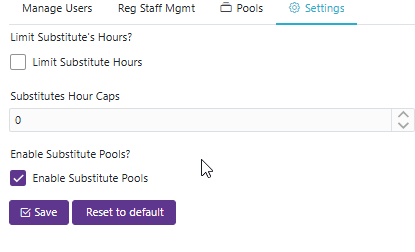
Limit Substitute Hours?
Substitutes Hour Caps allows administrators to set a maximum number of hours a month a substitute can work, preventing them from exceeding that limit.
Enable Substitute Pools?
Enables the Substitute Pools feature for this Substitute Management Unit.
When enabled, a Pools tab will appear on your SMU, allowing you to create and manage pools that control when different groups of substitutes become eligible for openings. This is useful for districts that need to give certain substitutes priority access, or that must restrict certain substitutes (such as retired/rehired staff) from being offered openings until a set period has passed.
Disabling this setting hides the Pools tab and suspends pool-based eligibility rules — all substitutes will be offered openings as normal. Your existing pool configuration is preserved and can be re-enabled at any time.
See Substitute Pools for full documentation on setting up and managing pools.
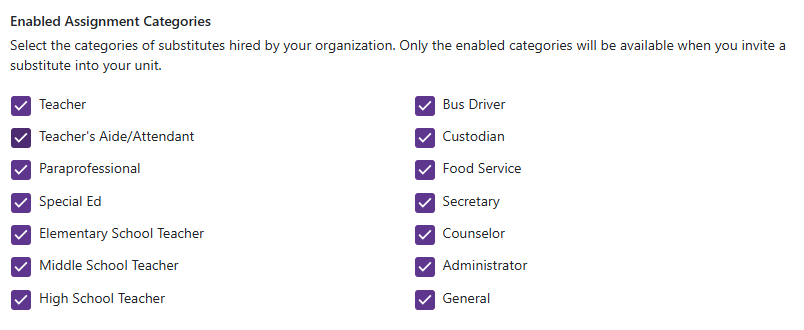
Enabled Assignment Categories
Select the categories of substitutes hired by your organization. Only the enabled categories will be available when you invite a substitute into your unit.