Codes Maintenance
The Codes Maintenance page lets you add and edit the Leave Request Types and Assignment Categories available throughout the system.
Who Uses This
- Application Administrator
- System Administrator
Navigation Path
- Administration menu → Codes Maintenance
Managing Codes
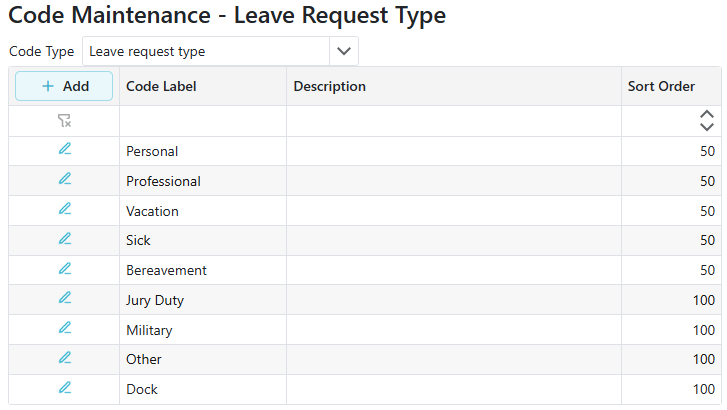
- Use the Code Type dropdown at the top of the page to switch between Leave Request Type and Assignment Category. The grid below updates to show only codes of the selected type.
- Codes are listed with their Code Label, Description, and Sort Order, and are displayed in Sort Order order (lowest first).
- Click Add in the grid header to open the Add Code form. Enter a Label, Description, and Sort Order, then click Save.
- Click the edit (pencil) icon on a row to open the Edit Code form and update that code's Label, Description, or Sort Order.
- The Label field is required and must be unique within the selected Code Type.
Note: Once a code is added, it cannot be removed. New codes are immediately available for use throughout the system, so new codes and changes should be discussed and approved by your development/support team before being added.