Preferred Schedule
Add Preferred Schedule
- Click ‘New’ in the Preferred Schedule section to add a new Preferred Schedule entry.

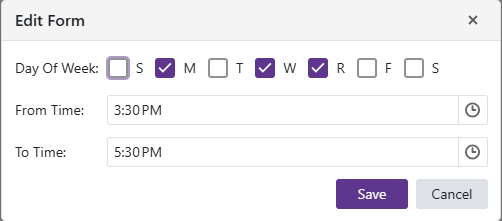
Edit Preferred Schedule
- Click the
 to edit an existing Preferred Schedule entry.
Remove Preferred Schedule
- Click the
 to delete the selected Preferred Schedule row.