Leave Requests
The Leave Requests section allows users to manage leave requests for a specific location, including adding, editing, and approving/denying requests.
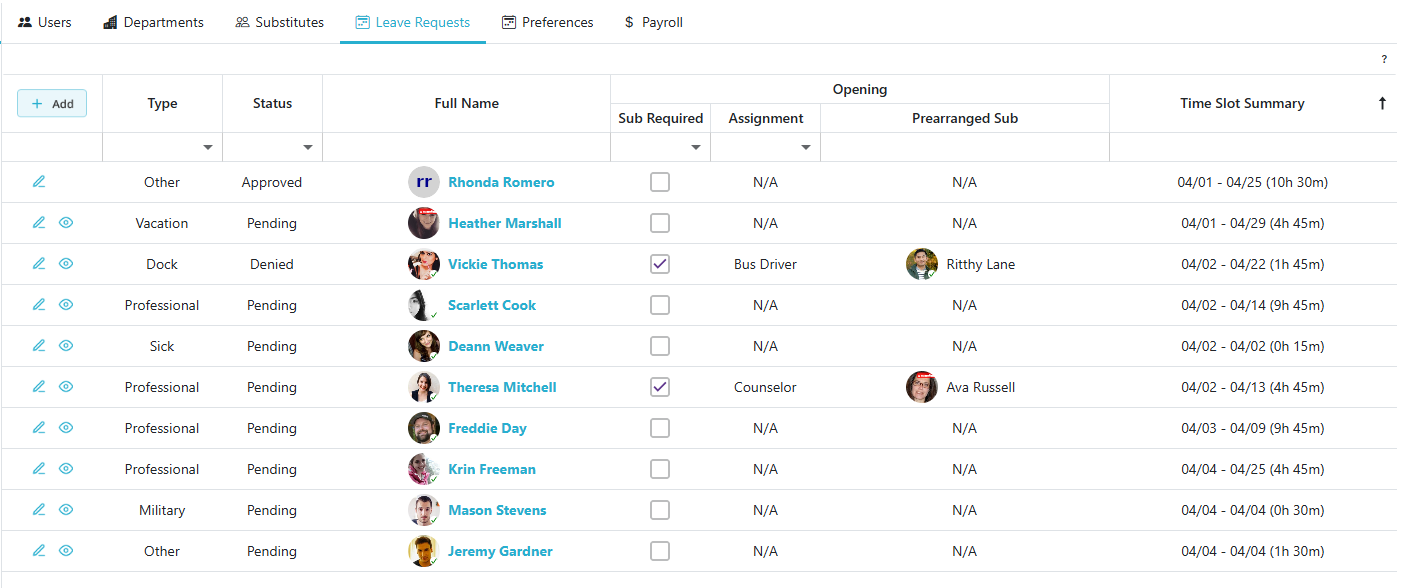
Create Leave Request
- Click the
 button to create a new leave request.
 - This action allows you to input all necessary details for submitting a new leave request.
Editing A Leave Request
- Click the
 icon to edit the leave request for the selected row.
 - This opens the Edit Leave Request page, where you can modify the details of the request.
Approving/Denying A Leave Request
- Click the
 to open the approval page.
 - This page allows users to approve or deny leave requests.