Ineligible Openings
Path: Assignments -> Ineligible Openings
- The Ineligible Openings list shows openings you're not eligible for, along with any openings you've declined yourself.
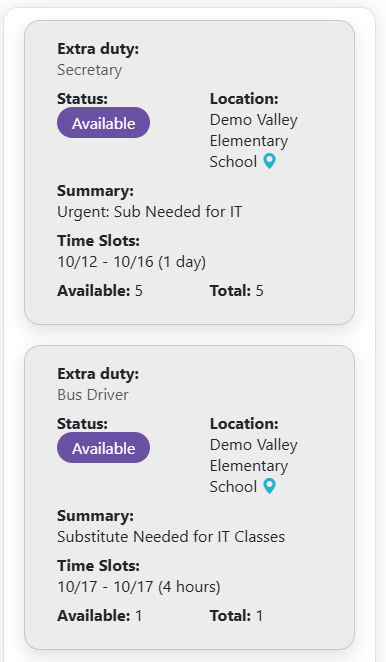
-
Tap a card to see why you are not eligible for that opening. The reasons open in a popup.
-
Undoing a decline is not available on mobile. Use the desktop site for that.
Why You Might Be Ineligible
Expand an opening to see the reason. Common reasons:
| Reason shown | What it means | What you can do |
|---|---|---|
| No notification methods available. | You have no notification method that is verified and opted in. | Verify and opt in a method on Notification Methods. |
| Timeslot unavailable according to your personal schedule. / Unavailable according to your personal schedule. | The opening falls outside your Preferred Schedule or inside an Unavailability Period. | Update your Schedule. |
| Has a scheduling conflict. | You already have an assignment at that time. | |
| You have blocked this location. | The location is blocked in your Allowed Locations. | Allow the location again in Allowed Locations. |
| You have suppressed notifications for this location. | You turned off notifications for this location in Allowed Locations. | Change it in Allowed Locations. |
| You have declined this opening. | You declined it. | Click Undecline. |
| Opening is reserved for specific substitutes. | Only reserved substitutes may take it. | |
| Not authorized at this location. / Not authorized for this assignment category (at this location). | You aren't cleared to work there, or in that kind of assignment. | Contact your Substitute Management Unit. |
| This opening is not yet available to you based on district policy | Your substitute pool isn't eligible for it yet. | It may become available later. |
| This opening is not available to you based on district policy | Your substitute pool can't take this opening. | Contact your manager. |
| You would exceed the monthly time limit for this unit. (and similar) | Taking it would put you over your monthly hour cap. | |
| This opening requires one substitute to cover all remaining days... | You must take every remaining time slot. | Select all available time slots, or contact your manager. |
| Ineligible based on district policy, please contact your administrator/manager for details. | A location, staff member, or manager has blocked you. | Contact your administrator or manager. |