User Details
The User Details page shows everything recorded about a single user account, including the history of what has happened to it.
Path: Administration menu -> User Maintenance -> the  button on a user's row
Note: This page is available to Application Administrators and System Administrators. A Reseller Administrator can reach the User Maintenance grid but cannot open this page.
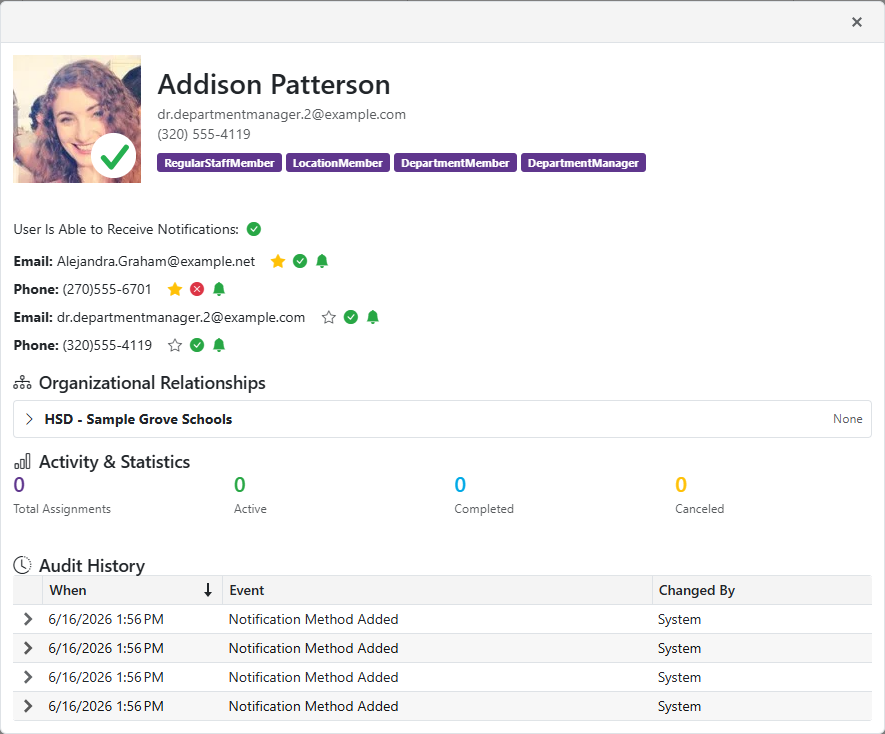
The user's name appears at the top, followed by three sections.
Organizational Relationships
- The management units, locations, and departments this user belongs to, and the role they hold in each.
Activity & Statistics
- Summary counts of the user's activity in SmartSub.
Audit History
A record of significant changes to the account, newest first.
- When: the date and time the event was recorded, in your local time.
- Event: what happened, for example a user accepting or rejecting an invitation.
-
Changed By: who caused it.
-
Click a row to expand it and see the full detail recorded for that event.
-
If nothing has been recorded yet, the section reads No audit events recorded for this user.