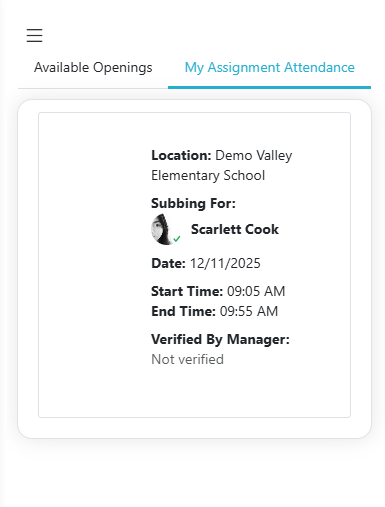
My Attendance allows substitutes to verify their attendance when the 'Substitutes May Verify Their Own Attendance' setting is enabled in the Location Preferences, and see if a manager has verified their attendance. Open it from the My Attendance tab on the dashboard, or from My Attendance in the menu.
If 'Substitutes May Verify Their Own Attendance' is enabled in the location's preferences, the 'Substitute Verification' column becomes available:
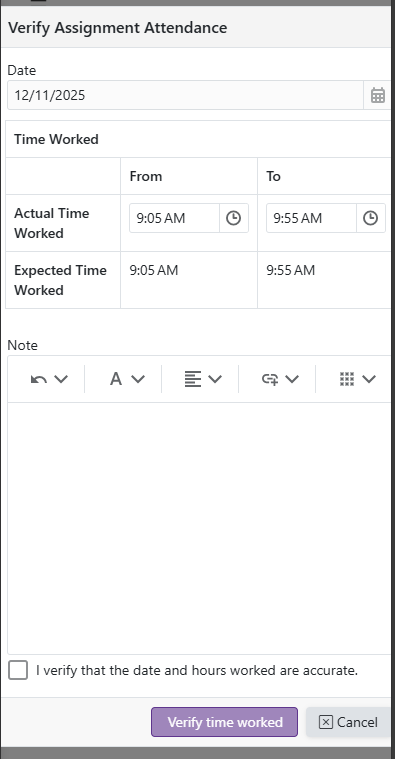
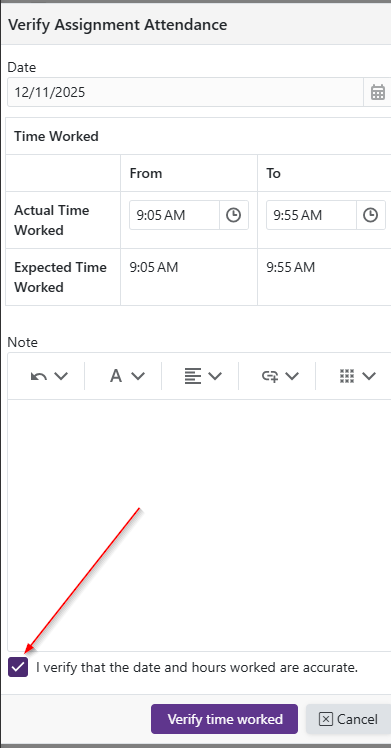
Clicking the opens the Verify Assignment Attendance form, allowing the substitute to view notes left by the manager, add their own notes, and edit the Actual Time Worked.
The 'I verify that the date and hours worked are accurate' checkbox must be checked to make the 'Verify time worked' button available
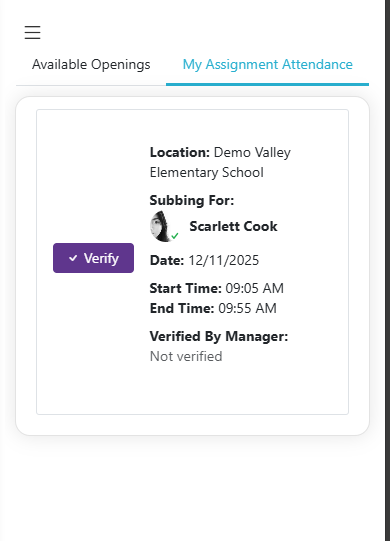
 opens the Verify Assignment Attendance form, allowing the substitute to view notes left by the manager, add their own notes, and edit the Actual Time Worked.