Substitute Management Units
The Substitute Management Units section allows users to manage substitute management units for the Regular Staff, including adding and removing units as needed.
Path 1: Client Admin->Regular Staff->Substitute Management Units
Path 2: Regular Staff->Manage Regular Staff->Substitute Management Units

Delegating Location Authorization
The Delegated column controls whether a Substitute Management Unit may authorize its own substitutes at this Regular Staff Management Unit's locations, without a location manager from the RMU doing it for them.
- The checkbox can be set by a Reseller Administrator, Application Administrator, or System Administrator. Everyone else sees whether delegation is on but cannot change it.
- The column shows N/A for an inferred relationship.
- Delegation covers every location belonging to this Regular Staff Management Unit.
With delegation turned on, the Substitute Management Unit can:
- Add its own substitutes to your locations, on the Managed Locations page.
- Set those substitutes' assignment categories and status at your locations.
Delegation never lets the Substitute Management Unit:
- Remove a substitute's authorization at your location. Only your own staff can do that.
- Change the location's Preference for a substitute, including Blocked. Preference stays with your staff, so a block you set holds.
- Grant anyone a location management role such as Coordinator.
Note: A block survives the Substitute Management Unit deactivating and restoring a substitute. Re-adding an existing substitute keeps the preference and status already recorded rather than resetting them.
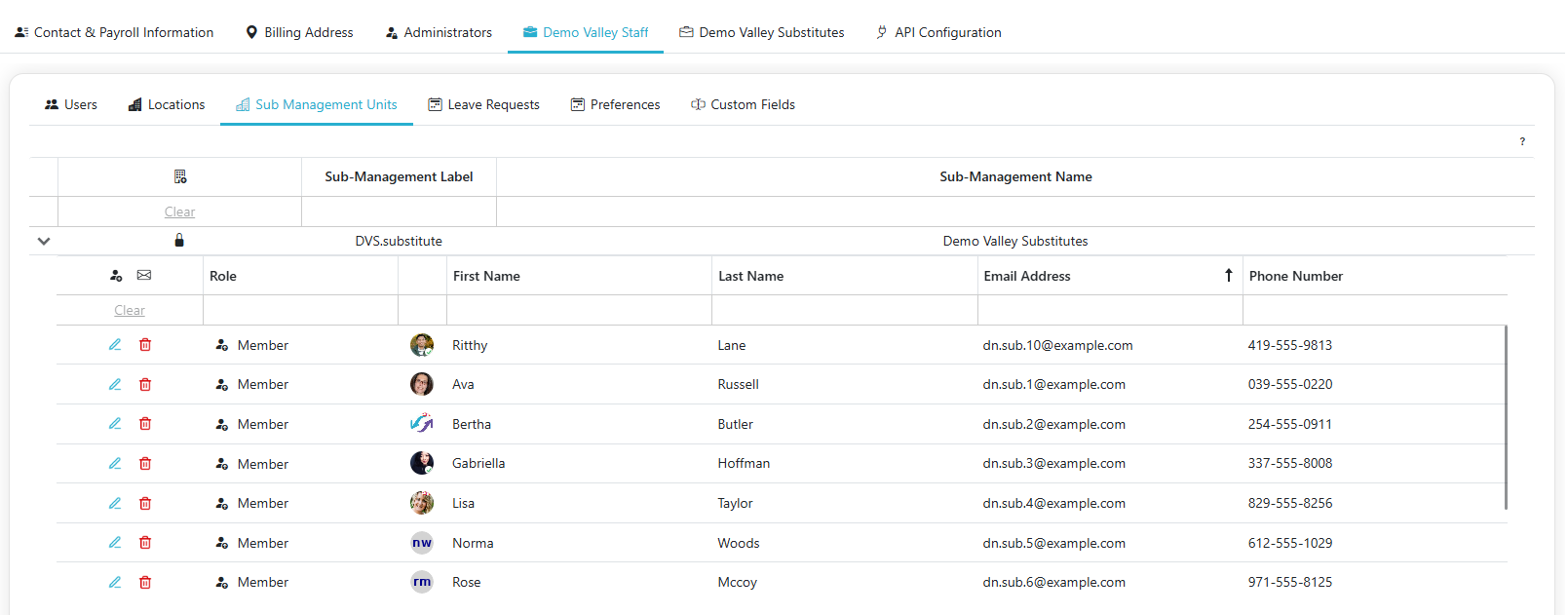
View Users in Substitute Management Unit
- Click the '>' to expand the Substitute Management Unit and see all the users in that unit
Managing a Substitute's Roles
- Each regular staff member's roles are shown as a set of tags in the Role column. Member is always present and can't be removed.
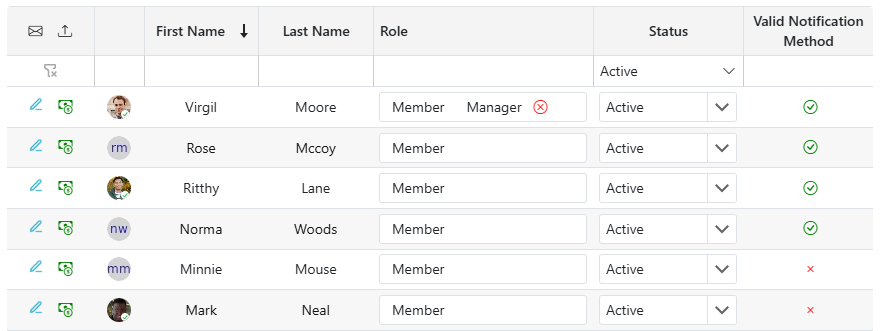
- To give a staff member manager permissions, click into the Role field and select Manager from the dropdown.
- To remove the Manager role, click the x on that role's tag.
Changing a Substitute's Status in the Unit
- Each substitute has a Status dropdown (Active, Inactive, or Terminated) instead of an outright removal action.
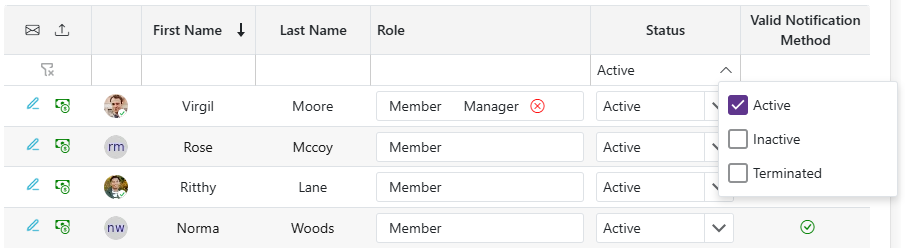
- Use the Status filter above the grid to choose which statuses to show — it defaults to Active only. Select Inactive and/or Terminated to include them.
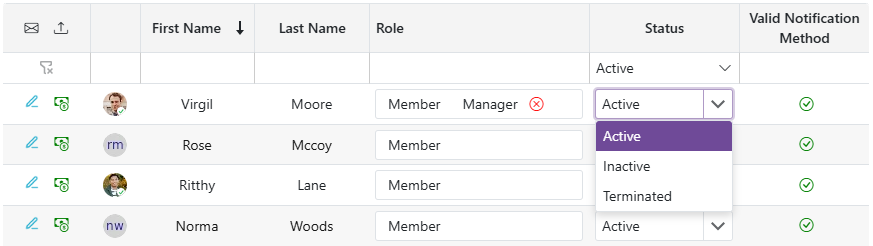
- If you move a substitute out of Active status while they still have outstanding assignments (any assignment that isn't Canceled, Complete, or Not Attended — including upcoming and in-progress ones), the change will be rejected: "You cannot remove this substitute because they have outstanding assignments, please cancel their assignments before removing them from [unit name]."