Approving/Denying A Leave Request
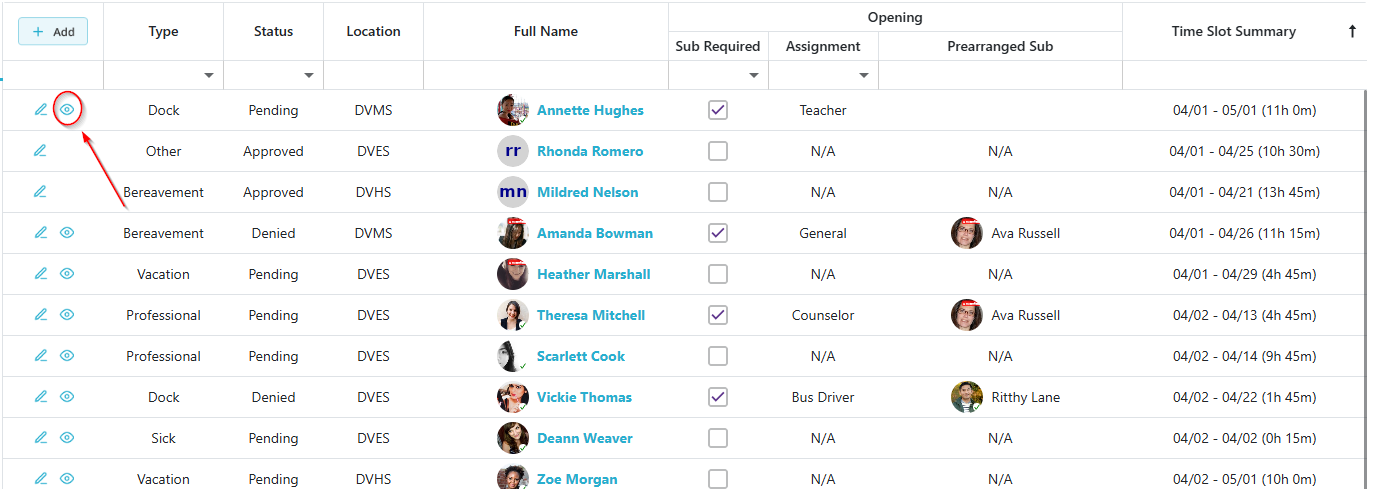
On Any Leave Request grid where you have permissions, a Leave Request with the Pending Status will have the  icon in the Actions column which allows users to view the details of the leave request and either approve or deny it.
Step 1: Open the Leave Request
Click the icon to view the details of the pending leave request.
Step 2: Approve or Deny the Request
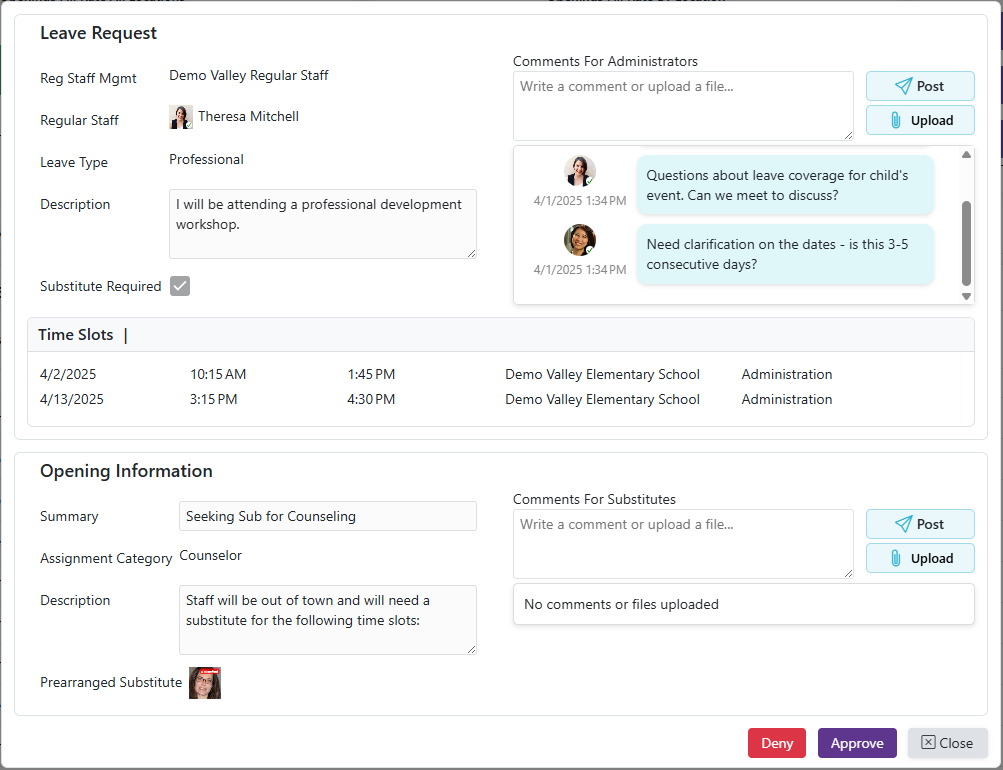
After reviewing the leave request, click ‘Approve’ or ‘Deny’ based on your decision.
- If the request is Approved and a Substitute is Required, an Opening will automatically be created using the information provided in the leave request.
- If there are more than 5 other staff members out on a certain day, a warning will display telling the user which day has 5 or more staff members out

- Hovering over the date in the warning will display a list of staff members out
