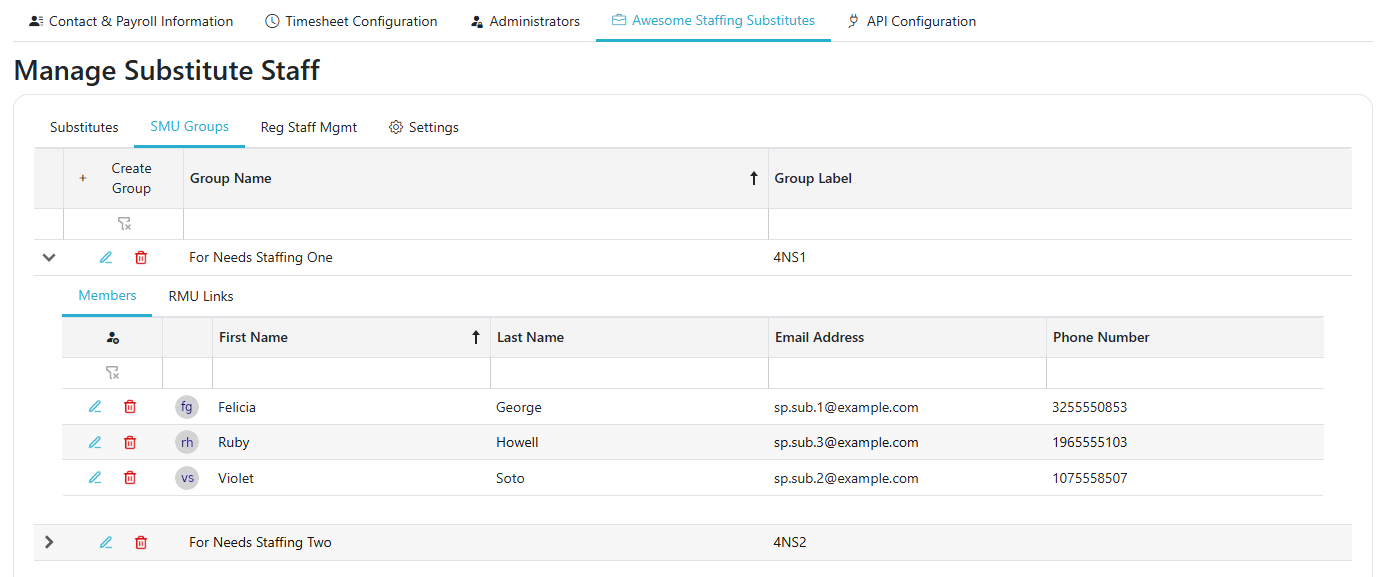
SMU Groups
Path: Client Admin -> (your Substitute unit's tab) -> SMU Groups
Note: This tab appears only when Enable SMU Groups? is turned on in the unit's Settings. Only system administrators can turn it on.
An SMU Group is a subset of your substitutes that can be linked to specific Regular Staff Management Units.
- Click Create Group to add a group, then enter its Group Name and Group Label. Use the edit and Delete Group buttons to change or remove a group.
- Expand a group to manage it:
- Members: click Add Substitute to add a substitute, which opens Edit Substitute's Eligibility; click Remove User to take one out.
- RMU Links: click Add RMU to link the group to a Regular Staff Management Unit; click Remove RMU to unlink it.